Android Location Permissions
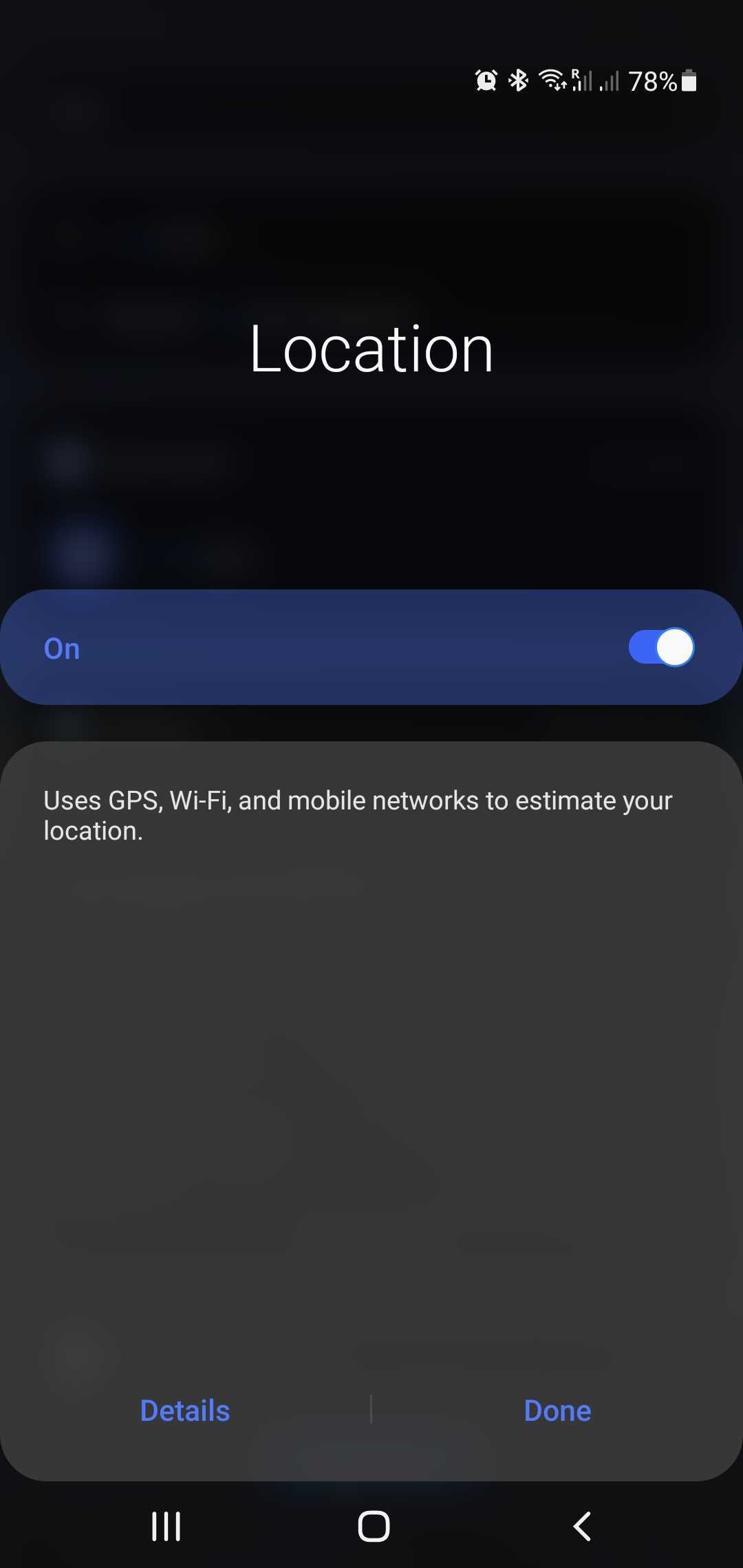
Enable App Location Permission on Android
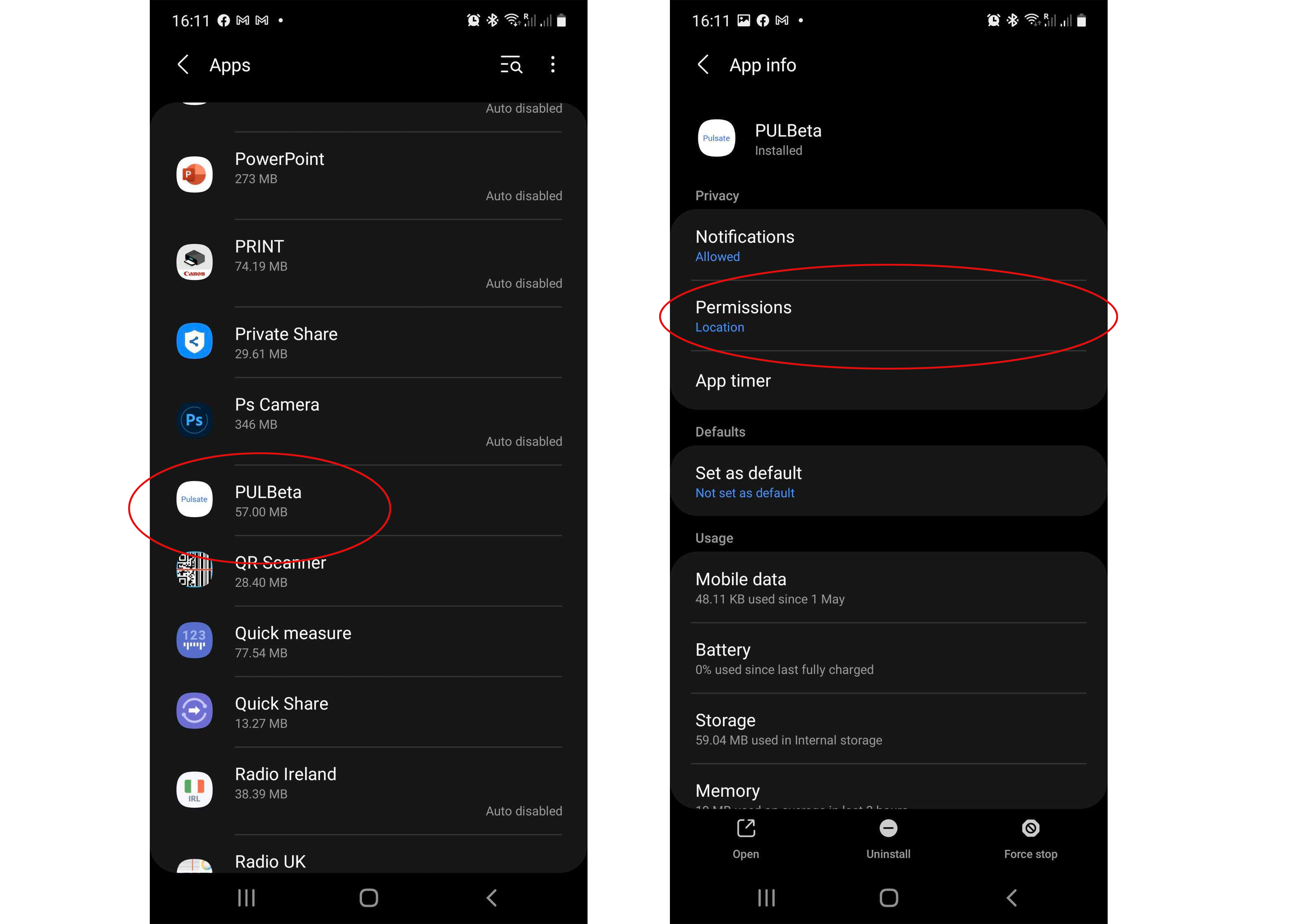
If you’ve already installed an app, here’s how to check/change which permissions it has access to. Select “Apps” > then select the app you wish to change the permissions > Click “Location Permissions”
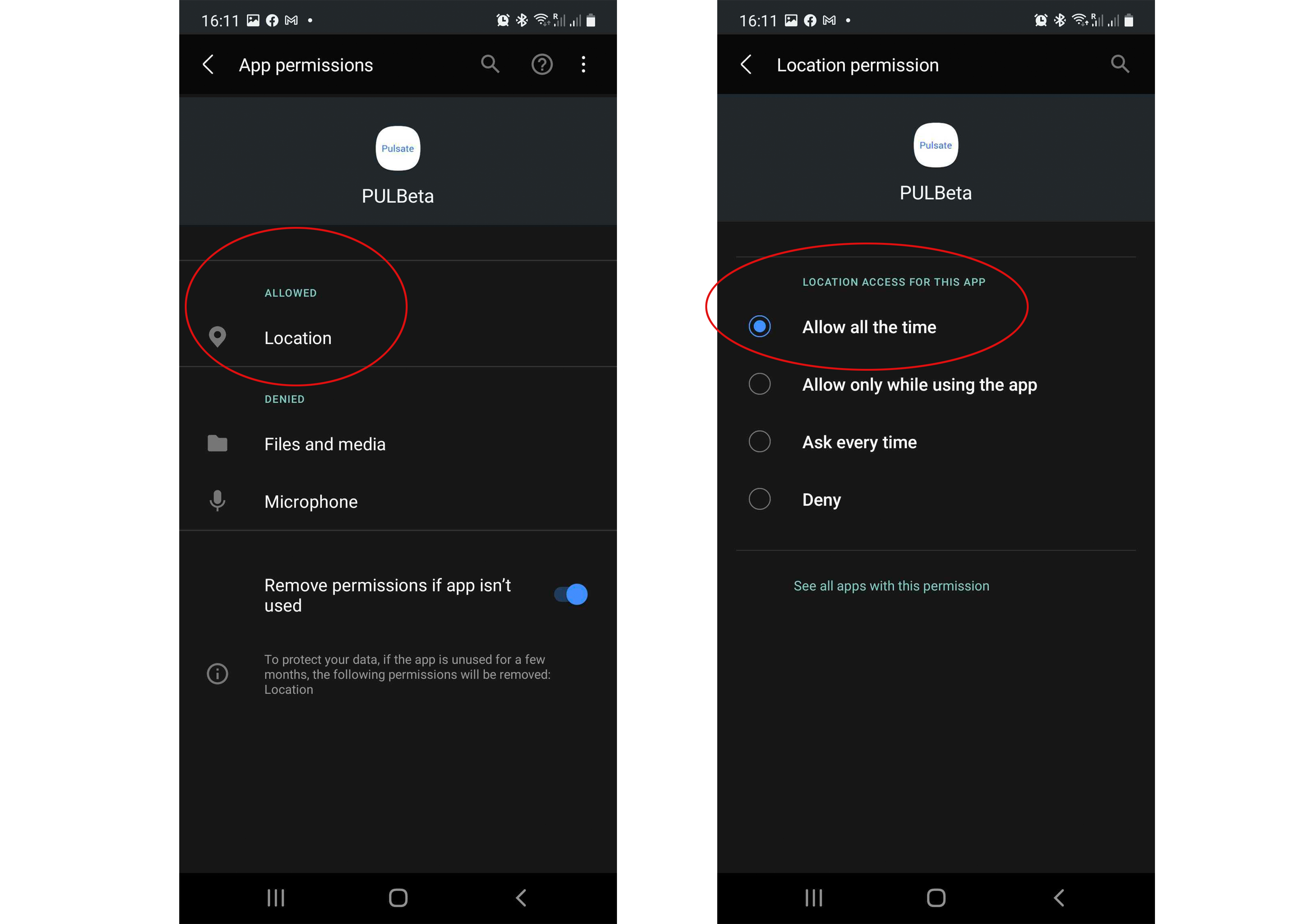
Click “Location” > and select “Allow all the time”