

Add a Notification Service Extension to your app so Pulsate rich pushes can display images and other media attachments.
Rich push notifications let a push display media (an image, GIF, or video) alongside its title and body. iOS delivers this by handing the incoming push payload to a Notification Service Extension in your app before the notification is shown, giving the extension a short window to download the attachment and modify the content.
This extension lives in your host app, not in the Pulsate SDK. You add it once, paste in the code below, and Pulsate pushes that carry an attachment will render the media automatically.
Note
Rich notifications have been a standard part of iOS since iOS 10 and require no minimum-OS gating today. The steps below apply to any currently supported iOS version.
How Pulsate signals an attachment
Pulsate pushes that include media add two keys to the push userInfo:
| Key | Meaning |
|---|---|
au | Attachment URL — where to download the media from |
at | Attachment type — the file extension (for example jpg, png, gif, mp4) |
The extension reads these keys, downloads the file, attaches it to the notification, and delivers the modified content. If either key is missing or the download fails, it delivers the original notification unchanged.
1. Add a Notification Service Extension target
In Xcode choose File → New → Target…, then select Notification Service Extension.
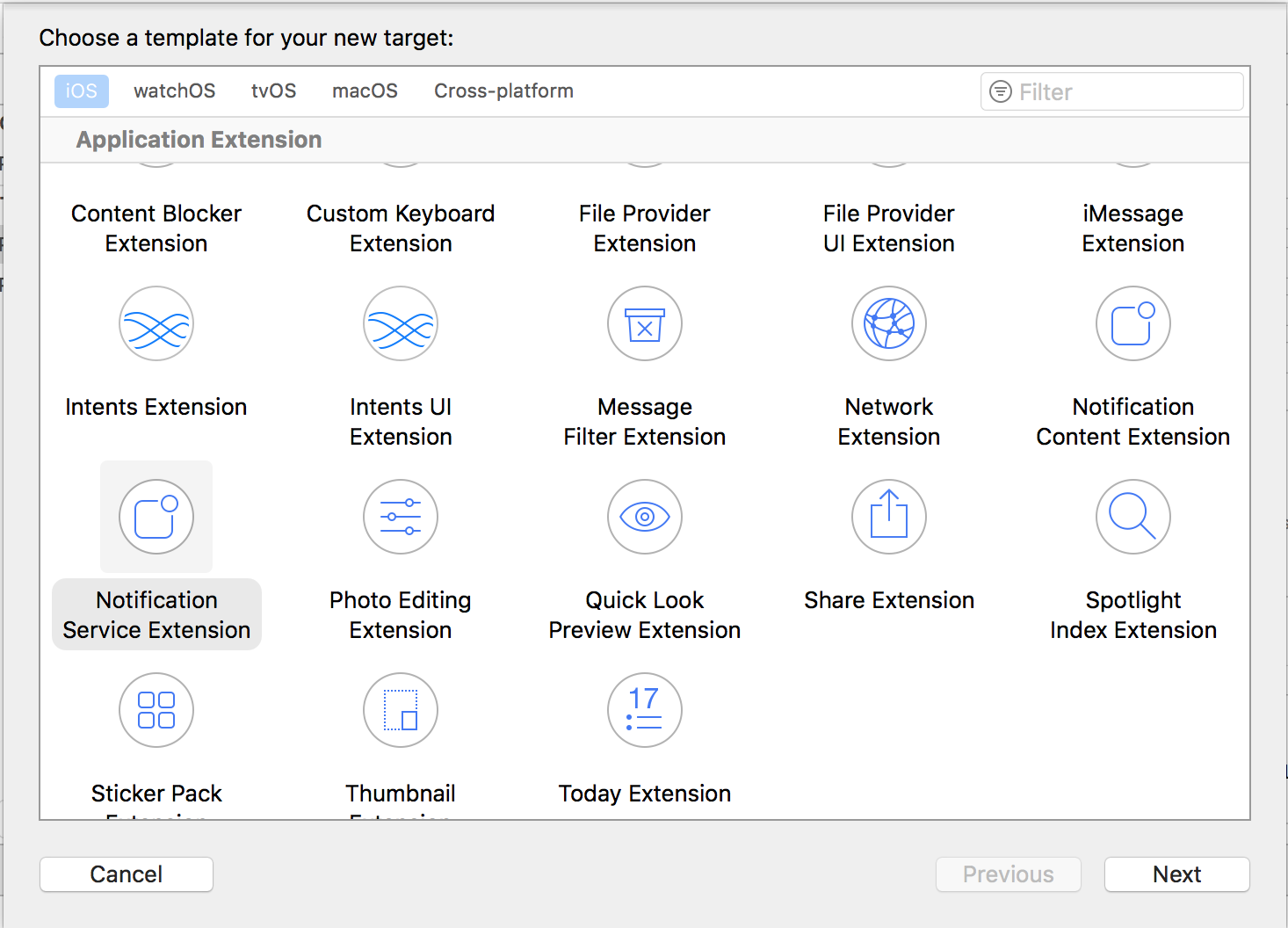
Important
This is a Notification Service Extension, not a Notification Content Extension. The Service Extension is the one that can modify the push payload and attach media. Give the new target its own App ID and provisioning profile in the Apple Developer portal.
2. Implement the extension
Creating the target generates a NotificationService class. Replace its contents with the following:
import UserNotifications

class NotificationService: UNNotificationServiceExtension {

    private let attachmentURLKey = "au"
    private let attachmentTypeKey = "at"

    private var contentHandler: ((UNNotificationContent) -> Void)?
    private var bestAttemptContent: UNMutableNotificationContent?

    override func didReceive(
        _ request: UNNotificationRequest,
        withContentHandler contentHandler: @escaping (UNNotificationContent) -> Void
    ) {
        self.contentHandler = contentHandler
        bestAttemptContent = request.content.mutableCopy() as? UNMutableNotificationContent

        let userInfo = request.content.userInfo
        guard
            let urlString = userInfo[attachmentURLKey] as? String,
            let attachmentType = userInfo[attachmentTypeKey] as? String,
            let attachmentURL = URL(string: urlString)
        else {
            deliverBestAttempt()
            return
        }

        let task = URLSession.shared.downloadTask(with: attachmentURL) { [weak self] location, _, error in
            guard let self else { return }
            guard error == nil, let location else {
                self.deliverBestAttempt()
                return
            }

            let typedURL = location.appendingPathExtension(attachmentType)
            do {
                try FileManager.default.moveItem(at: location, to: typedURL)
                let attachment = try UNNotificationAttachment(identifier: "", url: typedURL, options: nil)
                self.bestAttemptContent?.attachments = [attachment]
            } catch {
                // If the attachment can't be built, fall through and deliver the
                // unmodified notification rather than dropping it.
            }
            self.deliverBestAttempt()
        }
        task.resume()
    }

    override func serviceExtensionTimeWillExpire() {
        // The system is about to terminate the extension. Deliver whatever we have.
        deliverBestAttempt()
    }

    private func deliverBestAttempt() {
        if let contentHandler, let bestAttemptContent {
            contentHandler(bestAttemptContent)
        }
    }
}
Behavior notes
- The extension only runs for pushes whose payload sets
mutable-content: 1. Pulsate sets this automatically for rich pushes. serviceExtensionTimeWillExpire()is your safety net: if the download is too slow, iOS calls it so you can still deliver the best content you have.- Downloads happen inside the extension's short execution budget. Keep media small so it arrives before the window closes.