

Segments: Create from file
Note
If you want to add a list of users in a new segment, you can specify a new custom tag and new segment name along with the csv file which contains list of pulsate users aliases and hit this api.
This will create a new segment and will add the specified custom tag against all the specified users whose aliases are added in the uploaded csv file.
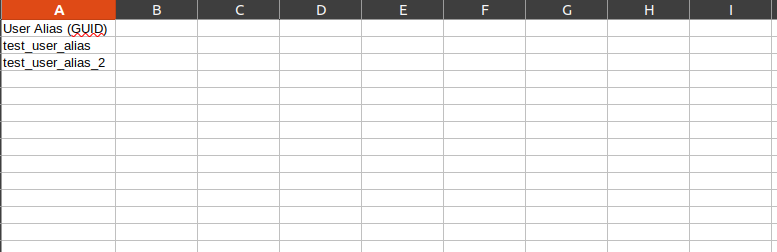
Sample csv image: you just need to specify pulsate user aliases which you want to add in new segment.
POST /apps/{app_id}/segments/create_from_filePath Parameters
Section titled “Path Parameters”| Name | Type | Required | Description |
|---|---|---|---|
app_id |
string | No | id of the pulsate app |
Headers
Section titled “Headers”| Name | Type | Required | Description |
|---|---|---|---|
Authorization |
string | Yes | {my_admin_api_token} |
Content-Type |
string | No | multipart/form-data |
Body Parameters
Section titled “Body Parameters”| Name | Type | Required | Description |
|---|---|---|---|
file |
file | Yes | File contains users aliases to create segment in our database |
segment_name |
string | Yes | Name of the new segment you want to create |
custom_tag |
string | Yes | Custom tag for segment rule. This custom tag will be added for each user with true value against all respective users |
Request Example
Section titled “Request Example”curl --request POST \ --url https://control.pulsatehq.com/api/v2/apps/{app_id}/segments/create_from_file \ --header 'authorization: Token token={my_admin_api_token}' \ --header 'content-type: multipart/form-data' \ --form file=@Desktop/postman/create_from_file/users_segments_alias.csv \ --form segment_name=gold_member_segment \ --form custom_tag=gold_memberResponses
Section titled “Responses”200
{ "segment": "Thank you for your submission. We are currently processing your list to create the segment. Processing large lists may require additional time. You will receive an email notification once the segment is ready. If you don't see the email, please check your spam or junk folder.<br /><br /><i>Please note: Users on the list who do not have online or mobile banking will be excluded from the segment.</i>"}